RPA tools aren't optional anymore. If your finance or HR team isn't running at least one, you're already behind. The numbers back this up. Precedence Research expects it to climb to $247.34 billion by 2035. Do the math, and that's a 24.2% CAGR. Not bad for a category people were calling "mature" two years ago.
Picking a platform used to be easy. A few years back, most RPA platforms did the same handful of things. People just picked whichever one had the best price or the fastest support team. Basic robotic process automation tools didn't need to think about AI at all. That's changed. Basic robotic process automation tools didn't need to think about AI at all. That's changed. The best RPA tools for businesses now come with document understanding and agentic orchestration built in from the start, and the gap between vendors who rebuilt around that and vendors who bolted on a chatbot is bigger than most buyers expect.
So here's what actually holds up. Below are the RPA solutions worth your time this year, what each one does well, and where it still comes up short.
What is Robotic Process Automation (RPA)?
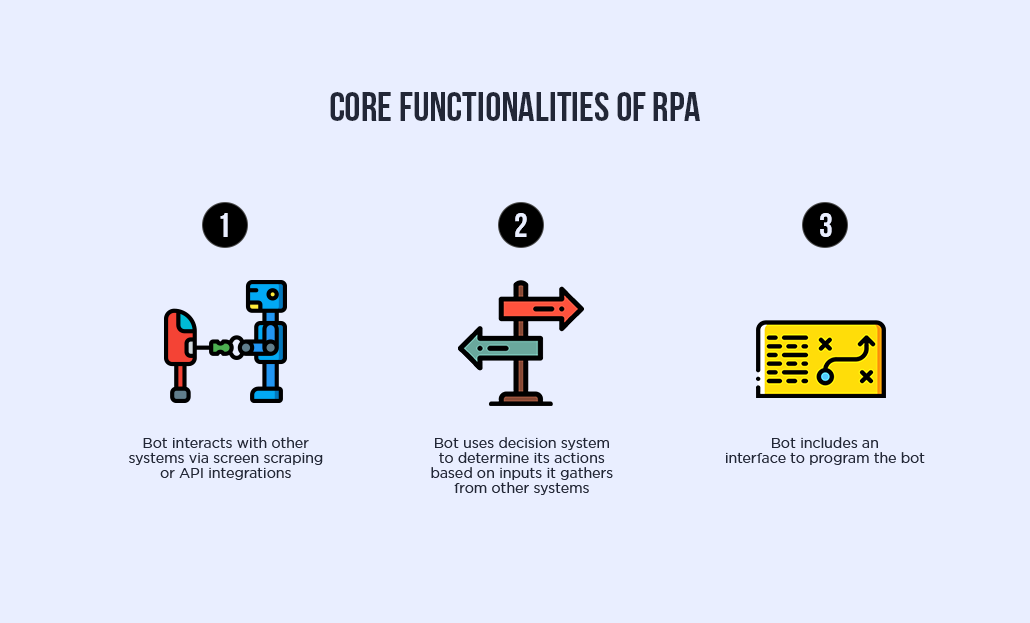
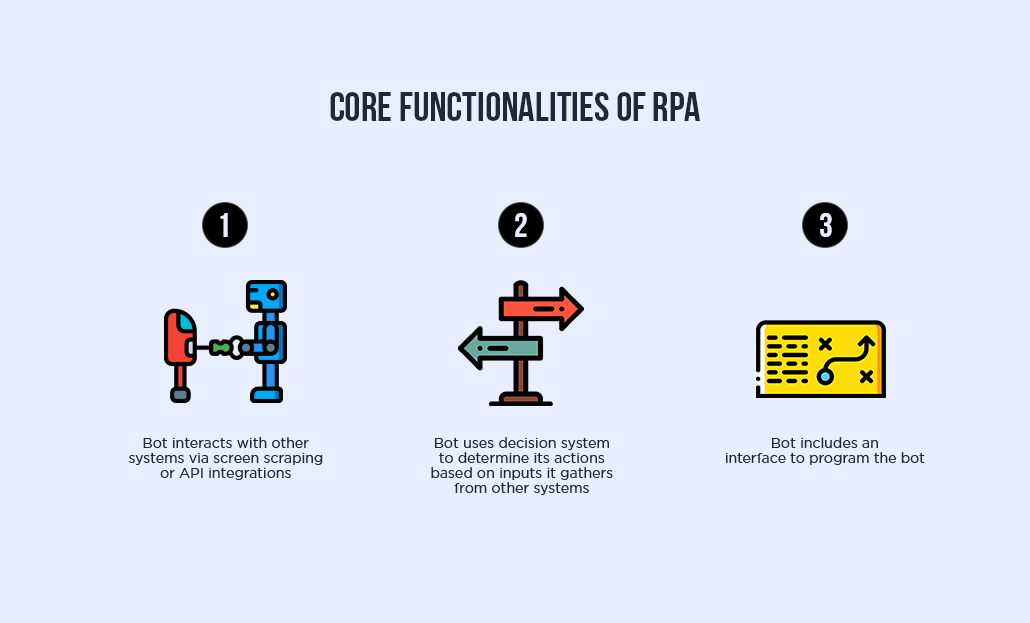
RPA is software that logs into your systems and does the repetitive stuff nobody wants to do by hand. Copying numbers from one screen into another. Filling out the same form for the hundredth time. That kind of thing. If the steps never change, an RPA bot can probably do it.
Here's what makes it different from "real" automation projects: you don't have to touch your existing systems. No rebuild, no six-month IT project. The bot just uses your ERP, your CRM, your clunky old desktop app, the same way an employee would. Log in, click, type, done.
The newer tools do more than follow a script, too. Add AI to the mix and the bot can read a messy invoice and pull the right numbers itself, no human checking its work. That's what people mean by "intelligent automation."
Benefits of Opting for RPA
RPA pays for itself fast. Automate a handful of mundane business processes and you're looking at real time savings and lower operating costs, sometimes from something as simple as a bot that sends an automatic email response instead of a person doing it manually.
It's not just about speed either. RPA brings scalability, intelligence, and platform independence into how your organization runs, which matters more once you're automating across departments and not just one team's inbox.
Here's what businesses actually get out of it:
-
Lower overall costs
-
More productivity, since repetitive tasks stop eating into people's day
-
Faster scaling as the business grows
-
Better data analysis, since bots don't get sloppy on hour six
-
A smoother customer experience
-
A business that's actually ready for what's next, not scrambling to catch up
-
Fewer compliance headaches, since bots follow the same steps every time, which makes regulatory compliance and audits a lot less painful
-
Better employee morale, since nobody enjoys data entry all day, and taking it off their plate frees people up for work that actually uses their skills
-
Faster onboarding for new processes, since training a bot to run a new workflow is quicker than training a new hire
-
Cleaner integration across tools, since most RPA platforms come with strong integration capabilities that connect your enterprise systems without a custom build
-
Early fraud detection, since bots flag anything that doesn't match the usual pattern faster than a person scanning a spreadsheet would
-
Better visibility into how work actually happens, since process mining tools built into a lot of RPA software show you where the bottlenecks really are, not where you assumed they were
With barely any human intervention needed, RPA tools mainly deliver on two fronts.
Faster communication across the business
RPA cuts the time your team spends on repetitive tasks, passing information between systems, and hunting down the one piece of data someone needs to do their job. Less back-and-forth, less waiting on someone else to finish their part first.
Read our other post on A Detailed Guide on RPA for Entrepreneurs
Better, quicker decisions
RPA gives you access to real-time data through built-in analytics tools. Instead of pulling reports together by hand, the bot's already done it by the time you sit down to look. And if you're using data visualization tools already, it plugs right in, no rework on your end.
Top RPA Tools to Rely on in 2026
Here are the RPA tools that actually hold up in 2026, the ones businesses are still relying on instead of the names that quietly got folded into someone else's platform.
|
Tool |
Best For |
Coding Required |
Deployment |
|
UiPath |
Large enterprises needing full-scale automation |
Full code, low code, no code |
Cloud, on-prem, hybrid |
|
Blue Prism |
Regulated industries needing strong compliance |
Low-code |
Cloud, hybrid, on-prem, multi-cloud |
|
Automation Anywhere |
Cloud-native teams wanting fast deployment |
Low-code |
Cloud-native |
|
Nected |
Mid-size businesses wanting quick setup |
Low-code |
Cloud |
|
Kofax |
Labor-intensive, multi-step processes |
No-code |
Cloud, on-prem |
|
OpenRPA |
Budget-conscious teams, open-source fans |
Low-code, drag-and-drop |
On-prem, cloud |
|
Power Automate |
Teams already using Microsoft 365 |
Low-code |
Cloud, desktop, mobile |
1. UiPath
UiPath remains one of the most complete RPA platforms out there. It uses artificial intelligence to scan your business processes and flag which ones are actually worth automating, instead of leaving you to guess. There's a submission hub too, so employees can request the processes they want automated instead of waiting on IT to notice the problem.
What makes UiPath stand out is the range. Full code, low code, no code. Whatever skill level your team has, there's a way in.
The Task Capture feature is worth knowing about specifically. It lets you document a process step by step, so everyone actually follows it the same way instead of five people doing it five different ways. And UiPath supports both unattended automation and attended automation, so you get full hands-off control where you want it and a human-in-the-loop setup where you don't.
Advantages
-
A wide range of tools, useful whether your team is technical or not
-
Scalable, with policies you can personalize as you grow
-
Strong support and training resources
Disadvantages
-
Very large files can occasionally crash the system
-
Updates can be confusing if you're new to the platform
Boost your digital transformation journey through automation and optimize your business processes with our UiPath certified RPA developers.
2. Blue Prism
Blue Prism is a low-code automation platform, built so that people with almost any skill level can automate their own workflows. Drag, drop, done. No need to loop in a developer for every small change.
It also brings artificial intelligence into the mix, letting bots learn and replicate the way your employees actually work. And it covers cloud, hybrid, on-premises, and multi-cloud deployments, so you're not boxed into one setup.
Advantages
-
Strong work queue management that scales well
-
Solid security and compliance capabilities
-
Straightforward process design, even for non-technical users
Disadvantages
-
Occasional integration issues with Google Chrome
-
Interface feels a bit dated compared to newer platforms
3. Automation Anywhere
Automation Anywhere runs on its Automation 360 platform, built cloud-native to handle both legacy and SaaS applications. It looks at your existing processes first and tells you which ones are actually worth automating instead of leaving you to guess.
Automation 360 covers end-to-end automation, so your back-end and front-end processes don't have to run as two separate projects. In practice, that usually means fewer mistakes and quicker turnaround, which employees and customers both notice.
Advantages
-
Highly customizable, works across nearly any business process
-
Full control over scheduling updates
-
Intuitive, effective interface
Disadvantages
-
A handful of modules feel rigid
-
The sheer number of features means a steeper learning curve
4. Nected
Nected shows up a lot when businesses want flexibility without the heavy setup that comes with UiPath or Automation Anywhere. It's built for teams that want to move fast, rule-based automation plus low-code tools, without needing a dev team on staff to keep it running.
What earns it a spot here is how quick implementation is. You're not waiting months to see if it was worth it. For a mid-size business that needs real automation without enterprise-level cost or complexity, it's usually enough.
Advantages
-
Faster setup than most enterprise RPA platforms
-
Flexible enough for both technical and non-technical teams
-
Competitive pricing compared to legacy enterprise tools
Disadvantages
-
Smaller community and fewer third-party integrations than UiPath or Automation Anywhere
-
Less brand recognition, which can be a factor in regulated industries
5. Kofax
Kofax is a no-code RPA platform built for labor-intensive, multi-step processes. The bots don't just move data around; they read it and act on it, which matters for things like data entry and document processing where a small mistake gets expensive fast.
It scales well, whether you're automating one overloaded department or your entire workflow. And most businesses end up building on top of what they already have instead of ripping it out, so the ROI tends to look better too.
Advantages
-
Flexible enough for almost any type of business
-
Broad range of capabilities for projects of any size
-
No advanced technical knowledge needed to implement
Disadvantages
-
Pricing packages can be confusing to work through
-
Interface could use an update
6. OpenRPA
OpenRPA is the open-source option on this list, and it's free. That alone makes it worth a look if budget is tight or you just want to test the waters before committing to an enterprise RPA solution.
It runs on a strong orchestrator and was built from the ground up with security and flexibility in mind. It also supports a smooth transition from pure RPA into API-based automation through an Integrated Automation Platform, which matters if you expect your automation needs to grow.
Advantages
-
Flexible RPA solutions backed by a solid orchestrator
-
No licensing cost, so adoption is easier to justify
-
Drag-and-drop IDE for building automation workflows
-
Works well alongside Node-RED for cloud-based workflows
Disadvantages
-
Requires some training to implement properly
-
On-prem installation isn't the smoothest process
-
A few bugs still show up during development
-
Not as polished or reliable as UiPath, since the platform is still maturing
7. Power Automate
Power Automate's whole approach is simple: handle what matters, automate the rest. It streamlines mundane tasks and paperless processes so your team's attention goes where it's actually needed. And since it works across web, mobile, and desktop, automation isn't tied to one device or location.
You can automate rule-based, repetitive tasks with point-and-click simplicity, no heavy technical lift required. The mobile app lets you build and manage flows on the go, and a centralized portal gives you access to flows, connectors, data, and real-time analytics in one place.
Advantages
-
Process advisor lets you record and visualize your workflows end to end
-
AI Builder adds smarter automation through document processing, image and text detection, and pre-built models
-
Low-code, drag-and-drop tools with a large library of pre-built connectors
Disadvantages
-
Can push you toward additional license or software purchases
-
Works best within the Microsoft Office environment, less so outside it
How to Choose the Right RPA Tool for Your Business
With this many RPA software vendors in the market, picking one isn't as simple as grabbing whoever ranks first on Google. The right RPA solutions for your business depend on a few things specific to how you actually operate.
1. Start with what you're trying to automate
Simple task automation, like moving data between two spreadsheets, doesn't need the same tool as something running across your entire enterprise environment. That's an easy distinction to miss when you're comparing feature lists instead of thinking about what you'll actually use day to day.
If you're dealing with unstructured data or documents, or anything that needs a judgment call rather than a fixed rule, go for a platform with real AI behind it, natural language processing, computer vision, that kind of thing. If the work is just straightforward and rule-based, skip the extra cost. A lighter no-code tool gets it done just fine.
2. Check how well it plays with what you already have
Seamless integration matters more than almost anything else on this list. A tool that can't talk to your existing systems, think your CRM or your old on-prem software, creates more work than it saves. Look closely at integration capabilities before you commit to anything.
3. Think about who's actually going to use it
Some platforms need a developer on standby. Others are built for business users with zero coding background. Be honest about your team's technical skill level, because the "most powerful" tool on paper is useless if nobody can maintain it.
4. Factor in scale
A tool that works fine for one department might buckle once you're running automation processes across multiple business functions. If you expect to grow into it, ask about centralized management and how easily the platform scales as your automation needs expand.
5. Don't ignore compliance
If you're in finance, healthcare, or anything regulated, security and regulatory compliance capabilities aren't optional. This is usually where the cheaper tools start showing their limits.
If you're still unsure which direction fits your business, that's exactly the kind of decision our RPA experts help with day to day. Talk to our team before you commit to a platform.
Conclusion
There's no single "best" RPA tool here. Each one on this list is built for a different kind of business process automation, and the right pick depends on what you're actually trying to solve, not which platform has the flashiest AI Builder or the biggest name recognition.
That said, if you're just starting out or don't have a dedicated dev team, UiPath is probably the easiest entry point. It works for non-developers as easily as it works for large enterprises, which is rare in this space.
But picking the tool is really only step one. The bigger question is how well it gets implemented, how it integrates with your existing systems, and whether it actually accelerates your digital transformation instead of becoming another half-used piece of software gathering dust.
That's where we come in. At Your Team in India, our RPA developers help businesses go from "we picked a tool" to "this is actually running and saving us time." Whether you need help choosing between platforms, implementing one you've already picked, or hiring RPA developers to run the whole project, talk to our team and we'll figure out the right fit together.
Frequently Asked Questions

Yes. RPA software handles the repetitive, rule-based tasks that don't need reasoning. Agentic automation and agentic process automation systems build on top of that, adding decision-making for more complex processes. Most businesses use both together, not one instead of the other.
Not necessarily. Many robotic process automation tools, like Kofax and OpenRPA, are no-code or low-code, built for business users without a developer background. More advanced platforms like UiPath do offer full-code options if your team wants deeper customization.
RPA is widely used in finance, healthcare, supply chain management, and human resources, basically anywhere there's high-volume manual work like data entry, inventory management, or compliance checks. Retail and insurance are catching up fast too.
It depends on the complexity of your business processes, but most straightforward RPA solutions can be up and running within a few weeks. Enterprise-scale rollouts across multiple business functions can take a few months, especially with heavier integration needs.

By Mangesh Gothankar


By Ashwani Sharma
By Achin Verma








 4.8 out of 5 by