A few years ago, an offshore developer meant a longer wait on everything. A bug reported late in your day would not get touched until the next morning on their end. Add a review cycle or two, and a same-day fix could easily slip to three days.
That gap is shrinking, and it is not because time zones changed. It is because the developers on the other end are working differently. A developer in India can now pull up an unfamiliar codebase, ask an AI tool to explain what a legacy function actually does, get a working answer in seconds, and move on. GitHub's own research found that developers using Copilot completed a coding task 55% faster than those without it, one of the clearest data points on how AI improves developer productivity in practice.
This does not replace the developer. AI drafts the boilerplate; however, someone still has to decide if the logic is right, and the developer makes that decision.
If you hire remote developers, this shift changes what "slow" and "fast" mean in a contract. This blog looks at where AI actually shows up in a remote developer's day, from writing code to shipping it, and why it matters when you are deciding who builds your next product.
How Remote Developers Actually Use AI Day-to-Day
Ask a remote developer what changed in the last two years and you will not hear everything. You will hear about three or four specific annoyances that got smaller.
1. Scaffolding and Boilerplate
Nobody wants to write a login form from scratch for the tenth time, or hand-edit an old API connector to talk to a new service the same way the last fifty did. Among the best AI tools for remote software developers, GitHub Copilot and Cursor are the two most teams reach for, and a developer can describe what they need and get a working draft back in seconds instead of digging through an old project for something close enough to steal.
2. Navigating Unfamiliar Codebases
Here is where remote work specifically makes this harder than working in an office. Get stuck on a weird function late at night, and the person who wrote it is asleep, not three desks over. Used to mean a week of digging through files and pinging people in Slack, hoping somebody remembered why a piece of logic looked the way it did.
Now you just ask the AI tool what the function does and where else it gets used. The answer is not always right. Trust it without checking, and you will eventually ship something broken. But as a starting point, it beats guessing.
3. Automated Testing
Tests are what everyone skips first when a deadline is close, which is also exactly why this is the easiest thing to offload. A developer generates a rough first pass of unit tests, then actually looks at whether the coverage makes sense, rather than typing out every single assertion by hand. Someone still has to read the code before it ships. It just shows up at review with fewer obvious gaps in it than it used to.
How Remote Developers Automate Git, CI/CD, and Documentation
Coding is only part of the job. A lot of a developer's day goes into the smaller steps around it, and that is where AI has quietly changed how remote teams work.
Git and Pull Request Management
Staging files, writing a commit message that actually describes what changed, opening a pull request with a summary someone will read. All of that used to eat five or ten minutes every single time, and developers cut corners on it constantly, usually the commit message.
Now a developer can type one instruction and get the branch created, the commit staged, and a pull request opened with a description that actually explains what changed and why. It sounds small. Multiply it across a team pushing code daily, and it adds up to hours back every week.
CI/CD and Routine Releases
Build, test, deploy- the stuff that has to happen every time but rarely needs a human making judgment calls. AI agents now handle a lot of this on their own, kicking off a build when code lands on the right branch, running the test suite, flagging a failure before a person even looks at it.
A remote developer is not sitting around waiting for a pipeline to finish before starting the next task. The pipeline just runs, and they get pinged if something breaks.
Documentation and Release Notes
Nobody has ever enjoyed writing release notes. Most teams either skip them or write something so thin it is useless six months later. AI tools can pull from the actual commits and pull requests and draft something a human can then clean up, instead of writing the whole thing from a blank page.
Same goes for keeping internal documents current when a function's behavior changes. It still needs a person to check it is accurate, but the first draft used to be the hard part, and now it is not.
What Faster AI-Powered Delivery Actually Means for You
Here is what actually changes for you as a client. A feature that used to take a remote developer three days can now take one or two, not because they are working longer, but because AI is handling the parts that never needed a human anyway. Across a full roadmap, that difference adds up fast.
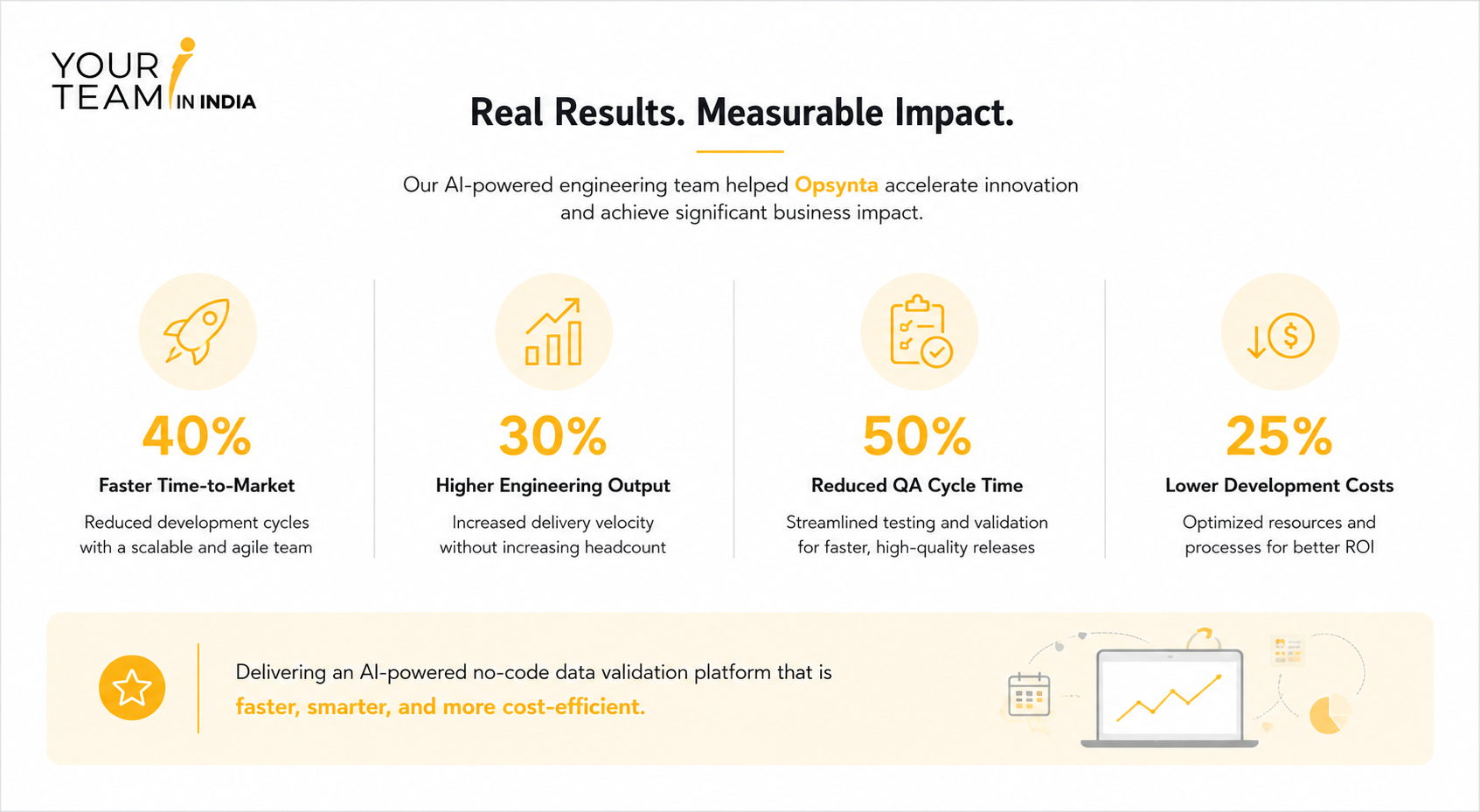
This is not just theory. When we built out an AI development team for Opsynta, a US-based SaaS company, the result was 40% faster time-to-market and a 50% cut in QA cycle time, without adding headcount.
This also changes the case for hiring remote developers. The old argument for keeping development in-house was tighter feedback loops. That gap has mostly closed. A remote team using AI well can turn around a fix or a small feature almost as fast as someone sitting down the hall, at a fraction of the cost.
The catch: AI-powered development team benefits only show up when the team actually knows what it is doing. A developer who ships whatever AI hands them without checking it is not faster, just riskier. That is why AI development outsourcing works best with a team that has real judgment behind the tools, not one using AI as a substitute for it.
Where AI Still Needs a Human in the Loop
Some remote teams use AI well. Others just let it run and hope for the best. You can usually tell which is which by looking at what actually ships.
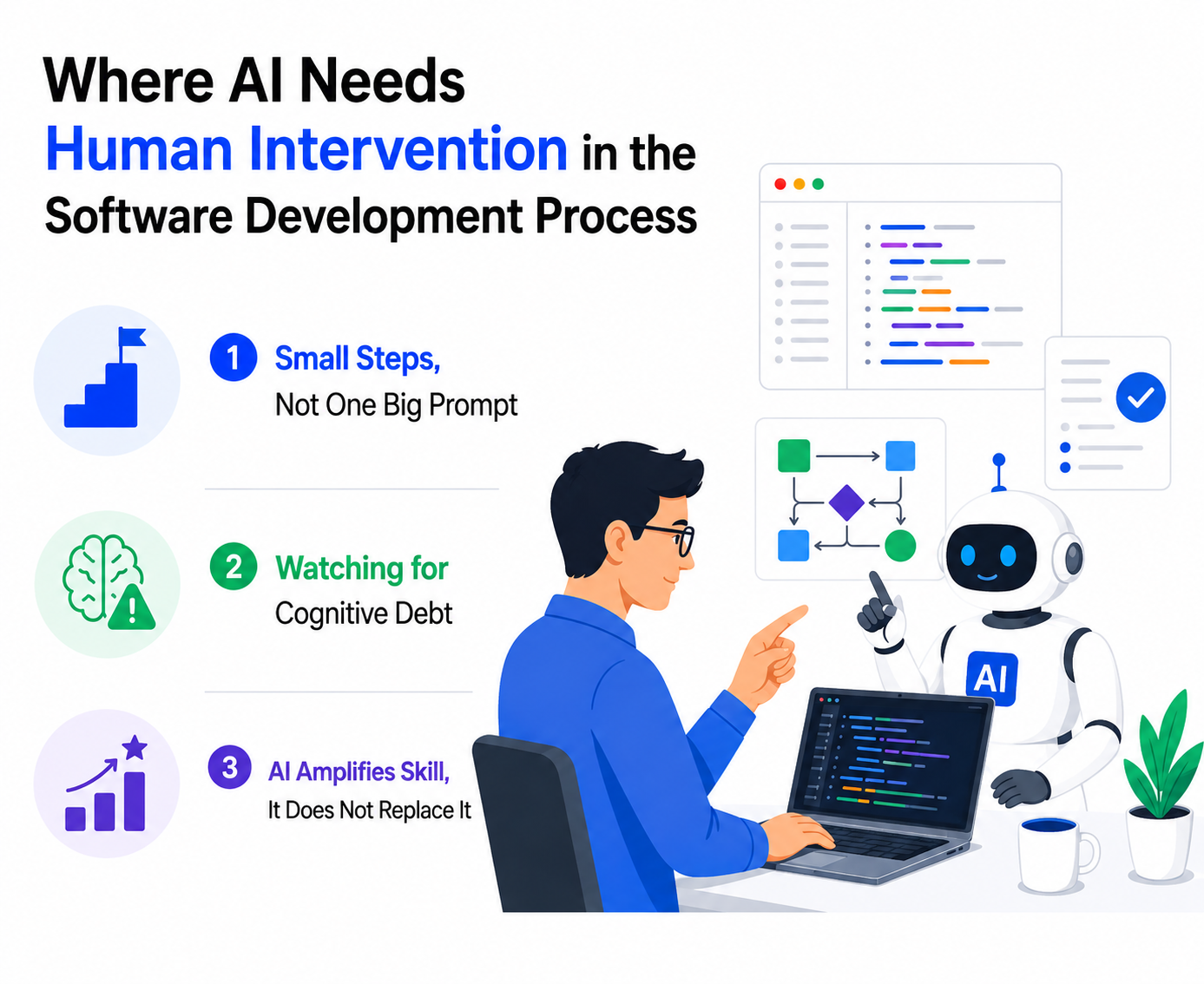
1. Small Steps, Not One Big Prompt
Ask AI to build an entire feature in one shot, and you will get something that looks done and is not. The developers who get real value from these tools work in small pieces, generate a bit, check it, generate the next bit. It takes longer than a single magic prompt would in theory, but it actually works, which the one-shot approach usually does not.
2. Watching for Cognitive Debt
There is a real risk in getting too comfortable. A developer who stops reading AI-generated code closely because it usually looks fine will eventually miss the time it is not fine. Security flaws and logic bugs do not announce themselves. They sit quietly until something breaks in production. Skip that check a few times because everything has looked fine so far, and eventually it will not be fine.
3. AI Amplifies Skill, It Does Not Replace It
The developers getting real value out of these tools were mostly already strong before they had them. AI makes someone who already knows what correct code looks like faster at writing it. Hand the same tool to someone weaker, and you just get bad code produced quicker. The person behind the AI still matters more than which AI they picked.
Why This Matters When You Decide to Hire Remote Developers
The old hesitations around hiring remote developers do not hold up as well as they used to. Here is how AI has changed the calculation.
|
Old Concern |
How AI Changes It |
|
Turnaround was slower than in-house teams |
AI handles boilerplate, testing, and routine deploys, closing most of the speed gap |
|
Communication lag added delays to every handoff |
Faster first drafts mean fewer round trips waiting on clarification |
|
Quality dropped when speed increased |
Speed without review is riskier, not better, so the team's judgment matters more, not less |
|
Cost savings came with a speed trade-off |
A remote team using AI well can match near-in-house speed at a fraction of the cost |
Bringing It All Together
AI has not replaced remote developers. It has changed what a normal day looks like for them: less time on boilerplate and repetitive testing, more time on the decisions that actually need a person thinking about them. The teams doing this well are not the ones using AI the most. They are the ones using it carefully, checking the output, and still owning the final call on what ships.
If you are trying to figure out how remote developers use AI before you hire, this is really the thing to look for. Not "do they use AI tools," because almost everyone says yes now. Look for a team that treats AI as one part of a real engineering process, not a shortcut around one.
At Your Team in India, this is how we build. Our developers use AI to move faster on the parts of the job that do not need judgment, and they apply real experience to the parts that do. If you are looking to hire remote developers who know how to get genuine AI-powered development team benefits without cutting corners, get in touch with us, and we can walk you through how our team works.
Frequently Asked Questions

Ask to see their process, not just the tools. A team that can show you how they review AI-generated code before it ships is worth more than one that just lists Copilot on a resume.
Usually not. Teams that use AI well finish work faster, which often lowers the total cost of a project even at similar hourly rates. The savings come from time, not a different price structure.
Not if the team follows good practices. Code generated with AI tools still needs to match your project's standards and get reviewed the same way any other code would, so maintainability comes down to the team's process, not the tool.
GitHub Copilot and Cursor are common, but the specific tool matters less than how the team uses it. Ask what parts of their workflow AI touches and where a human still checks the work.

By Mangesh Gothankar


By Ashwani Sharma
By Achin Verma








 4.8 out of 5 by