JavaScript is still the language nobody gets to skip. Developer, founder, or business owner picking a stack, it doesn't matter. It's running the interactive layer of almost every website you touch. It's the most-used language on GitHub, and it shows up in the client-side code of 98.9% of the web.
The framework is around 30 years old. Thirty years is a long time for any piece of tech to stay this central. The ecosystem around it has grown into something nobody could hand-code from scratch anymore. That's the whole reason frameworks exist: they hand you pre-built, battle-tested structures so you're not reinventing the same wheel every project.
Here's the actual problem in 2026, though. It's not that good frameworks are hard to find. It's that there are too many of them, and they all disagree on the trade-offs: speed, learning curve, how much they do for you versus how much they leave in your hands.
This guide walks through what a JavaScript framework really is, why you'd bother with one, and which of today's options is worth your time.
What is a JS framework?
Building websites is very similar to building a house. You can start creating a building from scratch without any schematics, but this approach would be highly time-consuming and would not render any benefit.
Coding is very similar to the above approach. When you are set to code, some features can be done from scratch, but for some parts, applying them from the template is sensible. This is where JavaScript frameworks come into play.
At its most basic level, JS frameworks are collections of JavaScript code libraries (see below), which provide developers access to pre-written JS code to utilize for standard programming features and tasks.
Now, you'll often hear "framework" and "library" used almost interchangeably, and honestly, a lot of people use them loosely. But there's a real difference between the two, and it actually matters for how you build. Here's where that line sits.
How is a JavaScript framework different from a JavaScript library?
With a library, you're the one in control. You call a function when you need it, get something back, move on with your life. jQuery, D3.js, Three.js, all libraries. Toolkits you dip into on your own terms.
A framework flips that. You don't call it, it calls you. You write your logic inside the structure it gives you, and it decides when that code actually runs. Developers call this "inversion of control." Not size, not hype, not which one's trendier on Twitter this month- that's the actual line between a framework and a library.
Which is also why people get tripped up here. React calls itself a library. Officially. Not a framework. Because it hands control back to you for things like routing and state management instead of locking you into one way of doing it. That's basically why Next.js exists on top of React in the first place, it bolts on the opinionated, framework-style structure that React pointedly refuses to give you.
So "which one's better" isn't really the right question. A library hands you flexibility and lets you build your own toolkit, piece by piece. A framework hands you a finished template. More consistency, fewer decisions to make. Also less room to argue with it.
What is Document Object Model DOM?
The Document Object Model{DOM} is a cross-platform and language-independent interface that treats an XML or HTML document as a tree structure, wherein each node is an object representing a part of the document. The DOM represents a document with a logical tree.
What is the Virtual Document Object Model?
In React, for every DOM object, there is a corresponding “virtual DOM object.” A virtual DOM object is a representation of a DOM object, like a lightweight copy. A virtual DOM object has the same properties as a real DOM object, but it lacks the real thing's power to directly change what's on the screen.
Why do we need a JS framework?
You can build a website without one. Plenty of people still do, for small scripts, quick prototypes, simple landing pages. But the moment a project grows past a handful of files, a framework earns its keep fast.
It saves you from rebuilding solved problems. Routing, state management, form handling, these show up in nearly every web app, and frameworks give you tested, pre-built patterns instead of making you reinvent them each time. That's less code to write, and less code to get wrong.
Large frameworks come with large safety nets. Popular frameworks have enormous user bases, which means bugs get found and patched fast, and when you hit a wall, someone's almost certainly hit it before you and posted the fix.
There's a newer reason too, one that didn't exist in 2023: AI coding assistants are only as good as what they've been trained on. Tools like GitHub Copilot, Cursor, and Claude Code have seen dramatically more React and TypeScript code than anything else in the JavaScript world, so suggestions are sharper and generated components are more reliable in mainstream frameworks than in newer, smaller ones. Pick something obscure, and you're working against your AI tooling instead of with it.
And TypeScript itself has basically become the default. As of 2025, TypeScript overtook JavaScript as the most-used language on GitHub, and most frameworks, Next.js, Angular, and others, now scaffold new projects in TypeScript by default. Picking a framework with strong TypeScript support isn't a nice-to-have anymore; it's closer to table stakes.
Put together: a well-chosen framework saves you time, gives you a support net when things break, and keeps you compatible with how development actually works in 2026.
With that settled, let's get into the frameworks themselves.
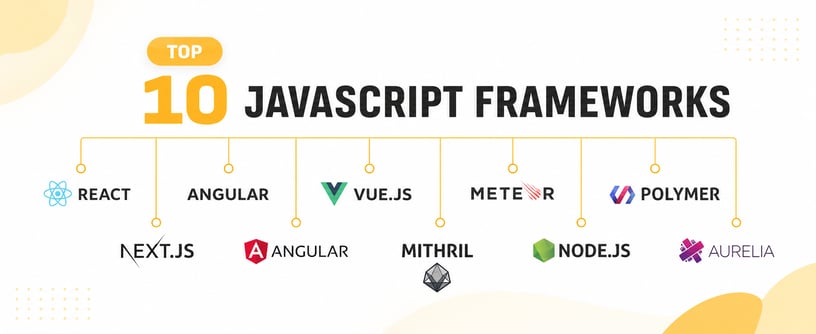
10 Best JavaScript Frameworks to Use in 2026
Here, we go through a comprehensive overview of the popular JavaScript frameworks that you can use in 2026, their features, and their pros and cons:
1. React
React is still the one everyone reaches for first. Somewhere between 40 and 47% of professional developers use it, depending on which survey you check, and that gap alone tells you something: even the exact number is hard to pin down because so many people are using it.
Meta built it, and it's the reason component-based UI and the virtual DOM became the default way people think about front-end development. Almost everything on this list owes it something.
Here's the twist though: React calls itself a library, not a framework. It handles rendering and component logic, full stop. Routing? Not its job. State management? Also not its job. You either wire that up yourself or reach for a meta-framework like Next.js to do it for you. Which is exactly why Next.js exists in the first place
|
Pros |
Cons |
|
Enormous ecosystem and community, largest of any option here |
Leaves architecture decisions (routing, state, data fetching) to you |
|
Deepest AI-coding-assistant support; tools like Claude Code have seen more React code than anything else |
Steeper initial learning curve than Vue or Svelte |
|
Massive hiring pool, easiest framework to build a team around |
Needs a meta-framework (usually Next.js) for a full production setup |
|
Virtual DOM and reconciliation handle efficient UI updates |
Frequent ecosystem churn around state-management libraries |
2. Next.JS
Next.JS is a JavaScript framework that is used to build static websites efficiently. With the help of React, then you make a robust web application. This is usually used to create a hybrid application.
Next.js is an open-source web development framework created by Vercel, enabling React-based web applications with server-side rendering and generating static websites.
Next.js is also a popular choice for those looking to implement NextJS Dashboard Design solutions, allowing you to create sleek and efficient dashboards effortlessly
|
Pros |
Cons |
|
Automatic code splitting and server rendering |
Flexibility costs |
|
Simple setup |
Management and development |
|
Dynamic site creator |
Lots of opinions |
|
Easy deployment |
Lack of a built-in state manager |
|
Non-stick development |
|
|
Regeneration of static in stages |
|
|
The filesystem is used as an API |
3. Angular
Modern Angular is TypeScript-first by default and has added Signals (since v17) for fine-grained reactivity, closing a lot of the performance gap that used to separate it from React and Vue.
|
Pros |
Cons |
|
Complete, batteries-included framework, routing, dependency injection all built in |
Steepest learning curve of the major options |
|
TypeScript mandatory by default, strong for large teams |
More verbose than React or Vue for smaller projects |
|
Signals bring modern fine-grained reactivity |
Smaller talent pool than React |
|
Strong fit for large enterprise applications needing structure |
Heavier bundle size out of the box |
4. Vue JS
Due to its progressive nature, Vue JS can help us create user interfaces and single-page applications. This framework is straightforward to use and can help us make web applications without prior knowledge of HTML, CSS, and JavaScript.
Vue.js is an open-source model–view–view model front- end JavaScript framework for building user interfaces and single-page applications. It was created by Evan You and is maintained by him and the rest of the active core team members.
The framework uses a model-view-viewmodel (MVVM) architectural pattern. This pattern separates the graphical user interface (UI) – or the view – from the business logic of the application – or the model. The viewmodel layer is a converter medium that synchronizes data.
|
Pros |
Cons |
|
Based on HTML templates |
The flexibility of Vue JS overcomplicates the development process |
|
Data is collected with the DOM |
Fewer developers due to the relative newness |
|
Bi-directional data transfer |
|
|
Easier to club with other frameworks |
5. Ember JS
This is a JavaScript platform that is used to build single-page web applications. Its features include practices and patterns that would help create robust one-page applications interconnected with others.
Ember.js is an open-source JavaScript web framework that utilizes a component-service pattern. It allows developers to create scalable single-page web applications by incorporating common idioms, best practices, and patterns from other single-page-app ecosystems into the framework.
Components are transient and manipulate the markup text and styles of an application UI. Services are JavaScript objects that live for the duration of an application. They can be made available for different parts of your applications and are best used for persistent states.
|
Pros |
Cons |
|
Ember JS has potent add-ons |
Challenging to learn |
|
CLI supportive |
Not very popular |
|
The convention is prioritized over the configuration |
Extremely opinionated |
|
Better & bigger community |
6. Mithril
Another JavaScript framework, Mithril, is quick and efficient. Another outstanding feature of this framework is its significantly smaller size. Apart from this, this JavaScript framework also implements routing.
Mithril.js is a modern, small, fast client-side JavaScript framework for building Single Page Applications.
|
Pros |
Cons |
|
Since the size is less than 10 KB, this is a lightweight framework. |
Virtual DOM |
|
This framework is faster than React. |
|
|
Active development in comparison to other frameworks. |
|
|
Compatibility with Flux |
|
|
Easier to learn |
7. Meteor
This is another JavaScript framework that is used primarily for websites. With the help of NODE JS, you can quickly complete your project and its prototyping while building cross-platform apps that are compatible with Android, iOS, and Web apps.
Meteor is an open-source platform for web, mobile, and desktop used by over half a million developers around the globe.
|
Pros |
Cons |
|
Getting started and distributing a prototype to end consumers is simple. |
Auto-bundling |
|
Full-stack responsiveness |
An automatic build system |
|
Real-time applications-friendly |
Difficulty with the pace |
|
It enables you to create an MVP |
Unpredictable in its course |
8. Node JS
Node.js often gets lumped into "top frameworks" lists, including the original version of this article, but that's a categorization error worth correcting. Node.js is a JavaScript runtime: it lets JavaScript run outside the browser, on a server, using Chrome's V8 engine under the hood. It's not a tool you rank against React or Vue; it's closer to the ground those frameworks stand on. Most back-end JavaScript, and full-stack JavaScript generally, depends on it.
Its package ecosystem, npm, is the largest of any language's package registry, which is a big part of why Node became the default choice for JavaScript on the server.
|
Pros |
Cons |
|
Massive npm ecosystem, a solution exists for almost anything |
Not ideal for CPU-intensive tasks (heavy computation blocks its single-threaded event loop) |
|
Same language on client and server, less context-switching for full-stack teams |
Callback-heavy code can get messy without modern async/await patterns |
|
Handles concurrent I/O efficiently, good for real-time apps, APIs, streaming |
Doesn't require a relational database; that's an application choice, not a Node constraint |
|
Large, active community and long-term corporate backing |
9. Polymer
Polymer is a Google-backed, open-source JavaScript toolkit for building applications using web components, browser-native, reusable custom elements that don't depend on a specific framework to work.
One correction from the original: its definition had been swapped with the chemistry definition of a polymer (long-chain molecules made of repeating monomers), an unrelated topic that has nothing to do with the JavaScript tool. That's fixed here.
The more important update: Google has shifted its active development focus to Lit, Polymer's lighter, more modern successor. If you're evaluating web-components-based tooling in 2026, Lit is generally the more current recommendation; Polymer itself is now in a mostly maintenance mode.
|
Pros |
Cons |
|
Web elements |
We must work harder to create web components that work in all browsers. |
|
Materials selection |
The other browser utilizes Shadow DOM. |
|
Google Data Binding-backed |
Performance Issues on Mobile |
|
Favorable to open-source designers, HTML principles |
10. Aurelia
This JavaScript framework uses a collection of modules to create browser, web, and desktop applications. This is an open-source platform with built-in standards.
Aurelia is a JavaScript client framework for web, mobile, and desktop that leverages simple conventions to empower your creativity.
|
Pros |
Cons |
|
Native web components, works across frameworks |
Largely superseded by Lit; less active development |
|
Backed by Google's Material Design system |
Smaller community than mainstream frameworks |
|
No framework lock-in, since it's built on web standards |
Performance and mobile support lag newer options |
How to pick the best JavaScript Frameworks for Your Website?
Now that we know how vital JavaScript frameworks are to optimize the entire website development process, businesses can save time, effort, and money. There isn't a single framework that is ideal for all tasks. Each of these has its pros and cons and should be chosen based on the project's needs.
Choosing the right framework involves checking that it is not stagnant and its vulnerabilities are explored and fixed regularly.
For example, Google Trends shows Node.js as being more popular than several of the aforementioned frameworks. But this is likely because Node.js is a runtime environment and can be deployed alongside other frameworks.
So, before settling on a specific framework, take into account several things, such as:
1. Existing Toolbox
Verifying that the JavaScript framework is utilized as the front-end programming language for the specific website or application is essential. The developers must select among those languages' corresponding frameworks if Java or Python are used.
However, if you want to apply a framework to an already-existing site, you need to consider extra considerations. For instance, comparing the cost and time required to incorporate a framework into new code vs. new website development is essential.
2. Complexity
Businesses must understand the project's scope. This is so that some JavaScript frameworks can support big applications, whereas some of these can only be used to build SPAs. Therefore, you need to know which framework would better meet your project's requirements.
3. Performance Standards
Another crucial aspect that you should take into account is the speed of your website. Some frameworks would encourage speedy replies because of their emphasis on virtual DOM. On the other hand, a more robust framework would be a better choice if your project requires more built-in features and control.
4. Technical Knowledge
Some JavaScript frameworks are straightforward to understand and use, while others could be a little more complex but offer many more capabilities. Depending on your expertise, you might choose an easy-to-use framework if you wish to employ a framework soon. But if programming is your area of expertise or you have the time to learn, a sophisticated framework may ultimately be more advantageous.
These few parameters would help you choose the best JavaScript framework for your next project. Go through these pointers wisely and make an informed decision!
You have several options suitable to the features and projects you are working on and the pattern you prefer. But at the same time, the scalability and market-readiness of a project are also very crucial.
If this ever becomes confusing for you, don’t hesitate to reach out.
Contact us to hire qualified JavaScript developers.
Frequently Asked Questions
Fair, FAQs are brutal for this because they naturally fall into a rigid question → answer → pattern. Let me actually break that rhythm instead of just trimming it.

Basically a head start. You get pre-built structure, conventions, tooling, so you're not opening a blank file and reinventing routing for the hundredth time. React, Angular, Vue, Next.js, all the same idea, different opinions on how to do it.
Wrong question, honestly. React wins on raw numbers, something like 40-47% of professional devs use it, but that's popularity, not "best." Angular earns its keep on big enterprise builds where structure matters more than speed of setup. Vue and Svelte are what smaller teams reach for when nobody wants to fight a steep learning curve. Pick for the job, not the leaderboard.
React, Next.js, Angular, Vue.js, Svelte, SolidJS, Nuxt, Astro. That's the real list in 2026.
One thing worth flagging: people keep lumping Node.js in with these. It's not a framework. It's the runtime everything above runs on. Different job entirely.
Nobody's counting anymore, honestly. New ones show up every year, old ones quietly die. Chasing a number is a waste of time. What matters is which ones are still getting real updates and real adoption; that's the whole point of this list.

By Mangesh Gothankar


By Ashwani Sharma
By Achin Verma







 4.8 out of 5 by